
Help Article How to Reserve or Set Up Your WhatsApp Business Username
WhatsApp now allows businesses to reserve a unique @username (for example, @YourBusinessName). Reserving your handle ensures your brand identity is protected on a first-come, first-served basis, while making it much easier for clients to initiate chats with your team.
Key Username Formatting Rules
Before creating your handle, ensure your chosen username meets WhatsApp’s criteria:
-
Length: Between 3 and 35 characters.
-
Allowed Characters: Lowercase letters (
a-z), numbers (0-9), periods (.), and underscores (_). -
Restrictions: Cannot start or end with a period, cannot contain consecutive periods (
..), and cannot contain domain extensions (like.co.zaor.com). -
Uniqueness: Each username can only be bound to one active phone number.
Method 1: Reserving via WhatsApp Business App (Mobile)
Step 1: Open Settings & Profile
Open the WhatsApp Business app on your smartphone:
iPhone: Tap Settings (bottom right) > tap Tools or your Profile Avatar at the top.
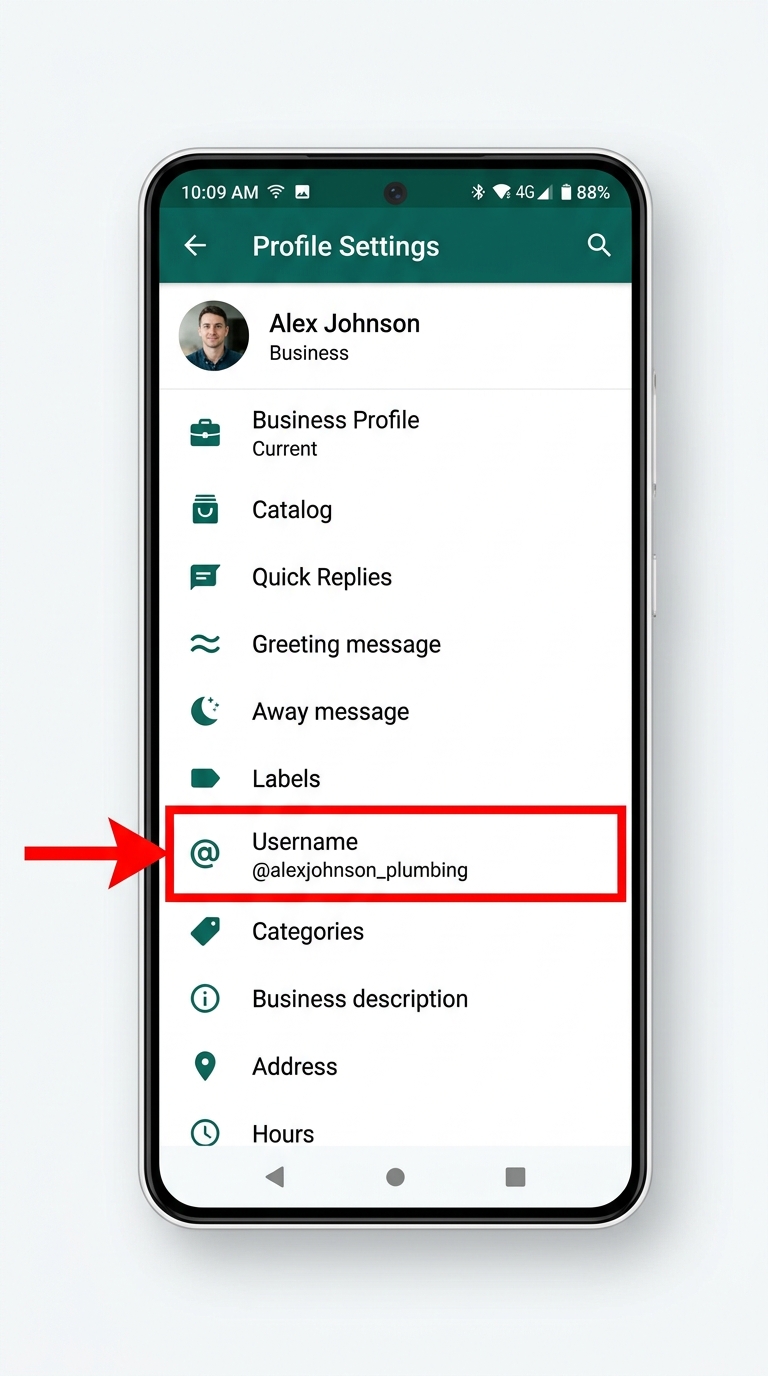
Android: Tap the Three Dots (⋮) (top right) > Settings > tap your Business Profile.
Step 2: Select Username / Reserve Username
Tap on Username (or Reserve Username if the full feature is still in reservation mode for your account).
Screenshot of the Business Profile edit menu with an explicit arrow pointing to the “Username” / “Reserve Username” option.
Step 3: Enter Your Desired Handle & Save
-
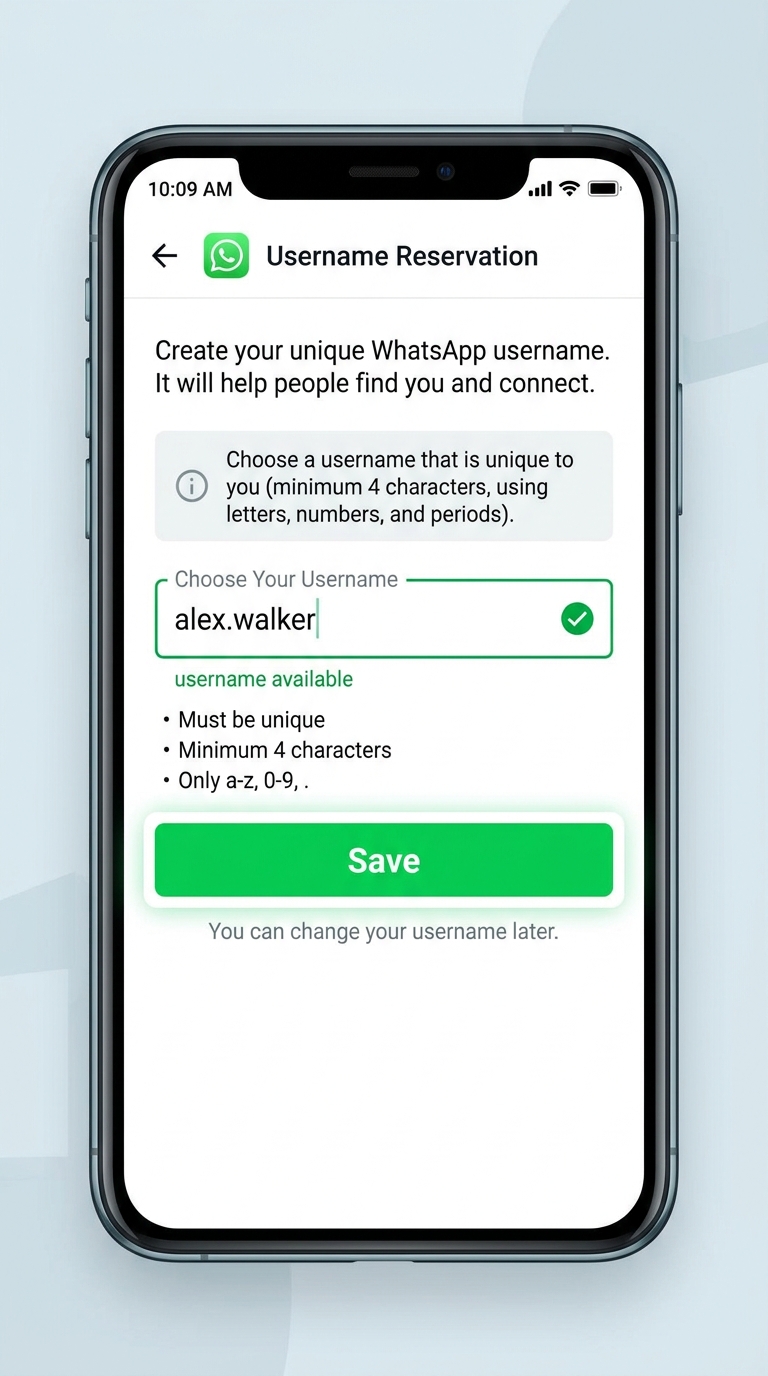
Type your desired handle (e.g.,
yourbusinessname). -
The app will automatically check availability:
-
If available: You will see a green checkmark confirmation.
-
If unavailable: The app will show a red warning and suggest alternative options based on your entry.
-
-
Tap Save (or Done) in the top right corner.
Screenshot of the username input field displaying green checkmark verification and the top-right “Save” button highlighted.
Method 2: Claiming Your Existing Instagram or Facebook Handle
If you want to keep your brand handles identical across all Meta platforms, you can claim your existing Facebook or Instagram username directly.
-
Go to Settings > tap your Profile Avatar.
-
Tap Create / Reserve Username.
-
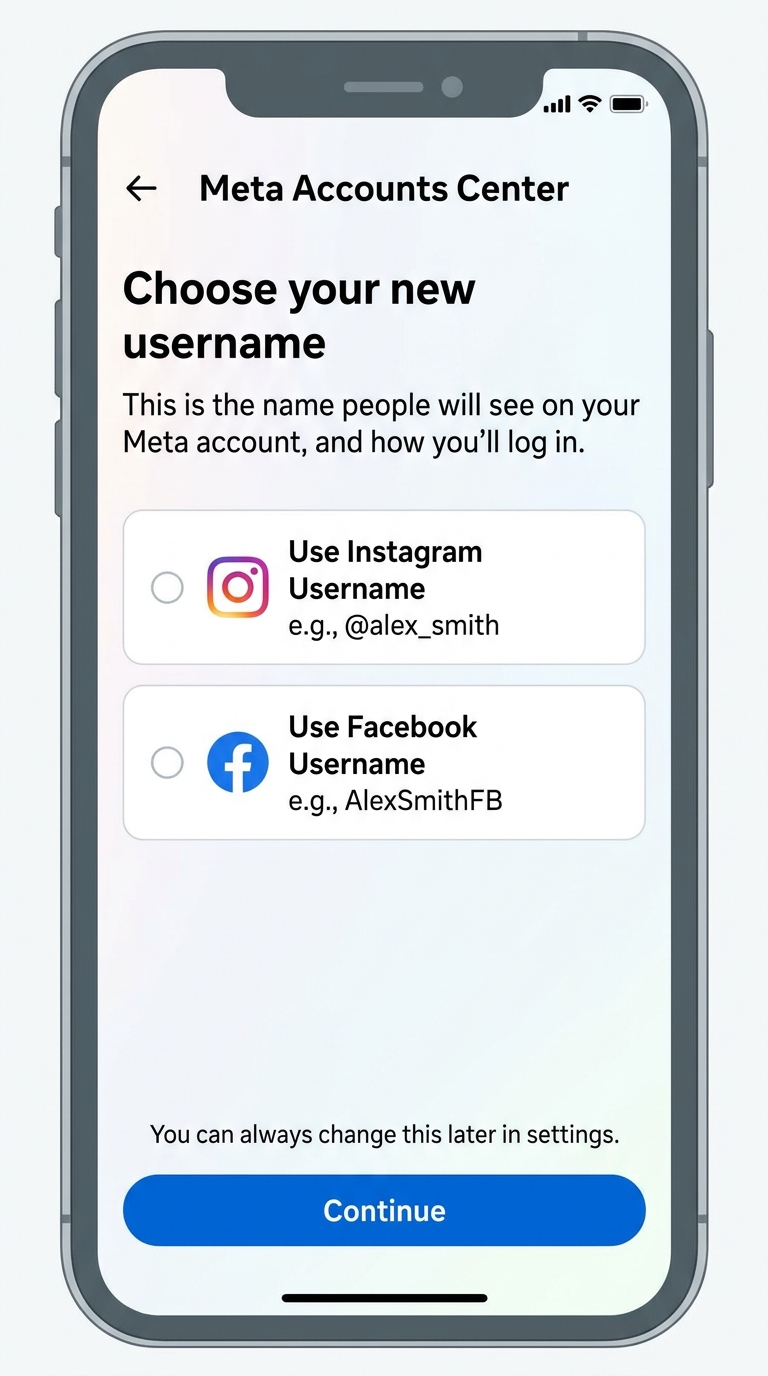
Select Use Instagram Username or Use Facebook Username.
-
Follow the prompt to connect your account to Meta Accounts Centre.
-
Once authenticated, your matching social handle will automatically lock in for your WhatsApp account.
Screenshot of Meta Accounts Centre option showing “Use Instagram Username” button.
What Happens Next?
-
Your Phone Number: Existing contacts and saved clients will still see your phone number as usual.
-
New Enquiries: New customers can start a conversation instantly by typing your
@usernameor clicking your direct WhatsApp shortlink (wa.me/@yourusername).